How to request for purchase order cancellation? (SG)
Last updated: 15 Jul 2026
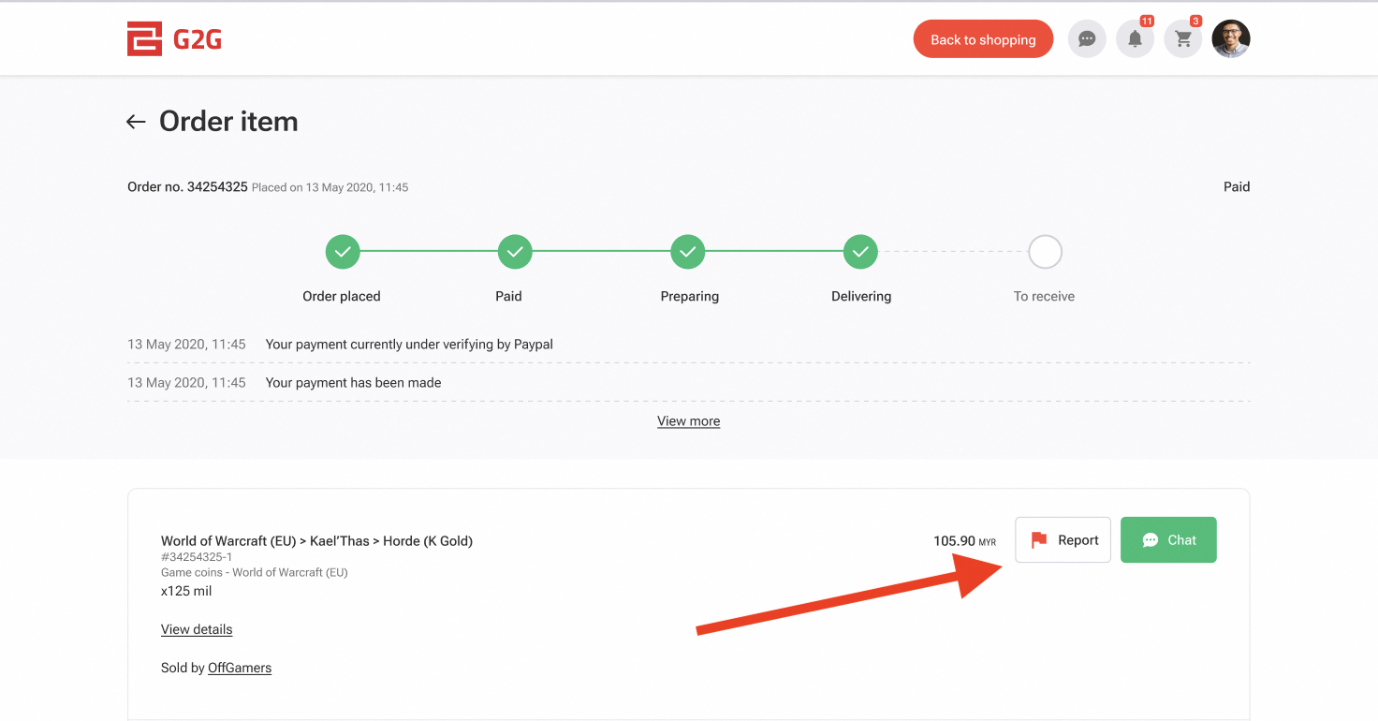
- To request for order cancellation, navigate to your order page and click on the "Report" button.
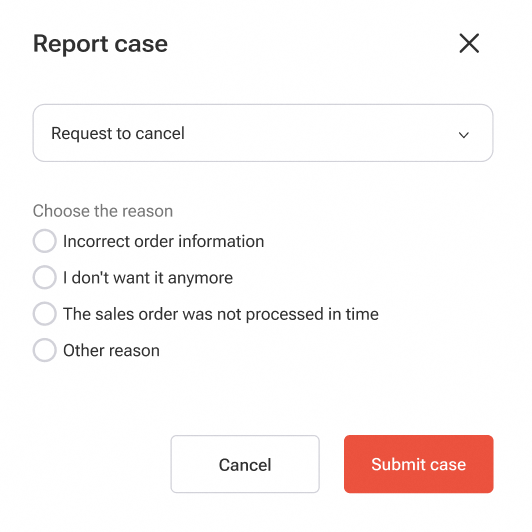
- Select "Request to cancel". Depending on order status, select the reason for cancellation and refund method (if applicable).
 |
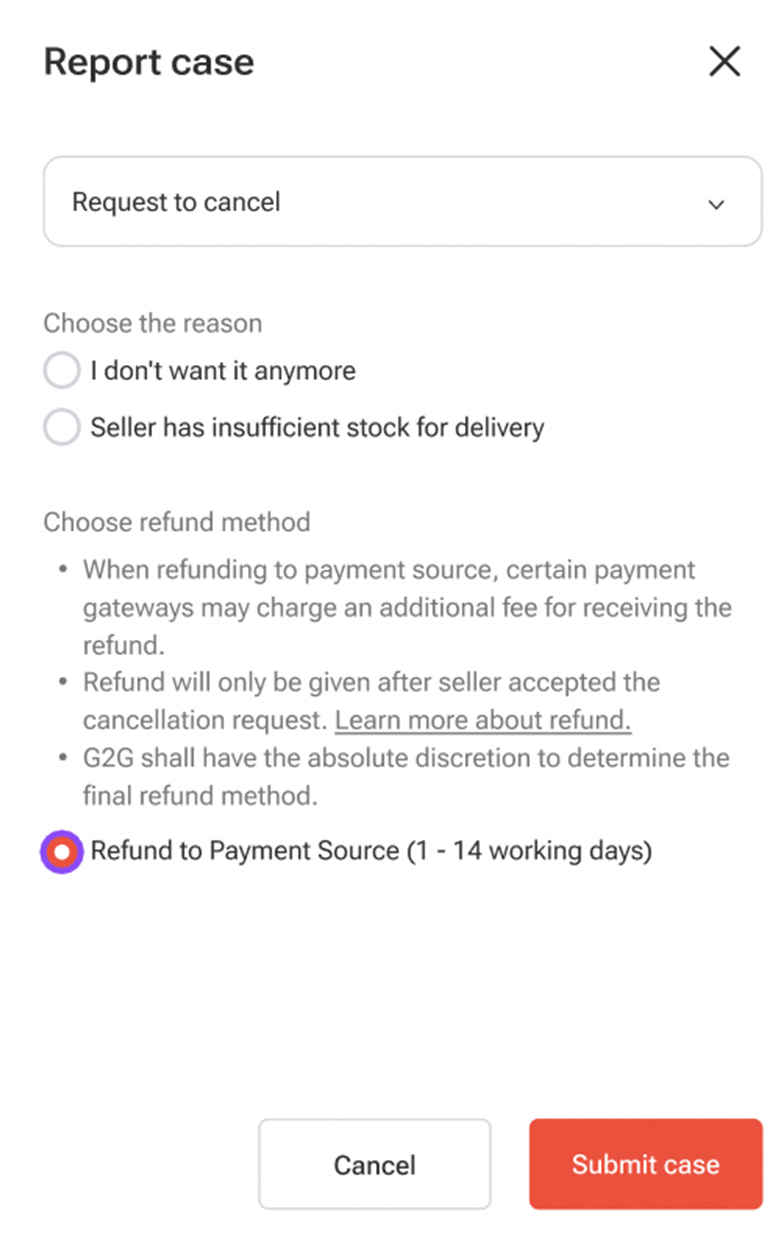
After you have submitted the request for order cancellation, the seller will either approve or reject it (with reasons provided). If the seller does not respond within the given time frame, the order will be automatically cancelled.
If the seller repeatedly rejects the cancellation request, you may escalate the matter to us for further assistance.
Related articles: