How Do I Change My Username / Nickname / Store Name?
Last updated: 15 Jul 2026
You can update your username on G2G by following the steps below:
Steps to Change Your Username:
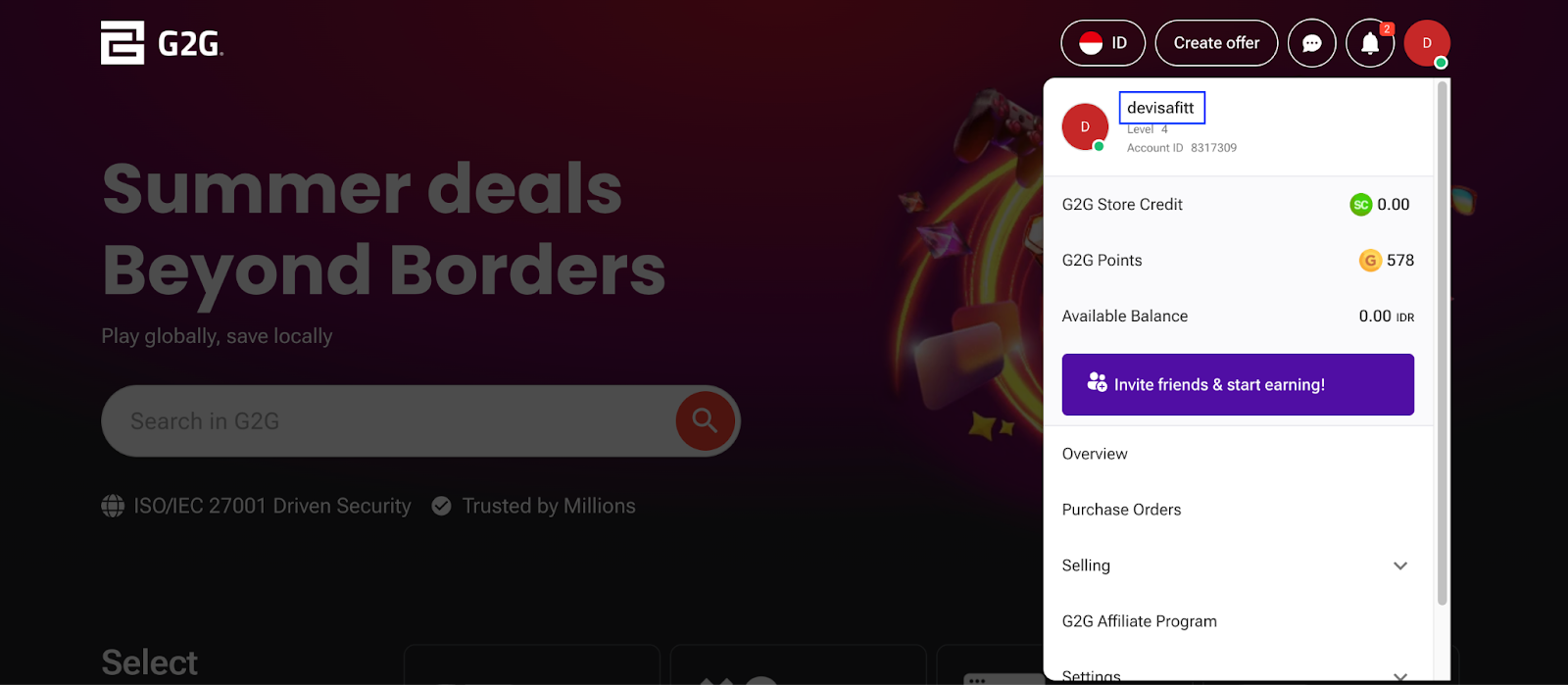
Log in to your G2G account, and click your profile icon in the top menu. From the dropdown, select your current username .
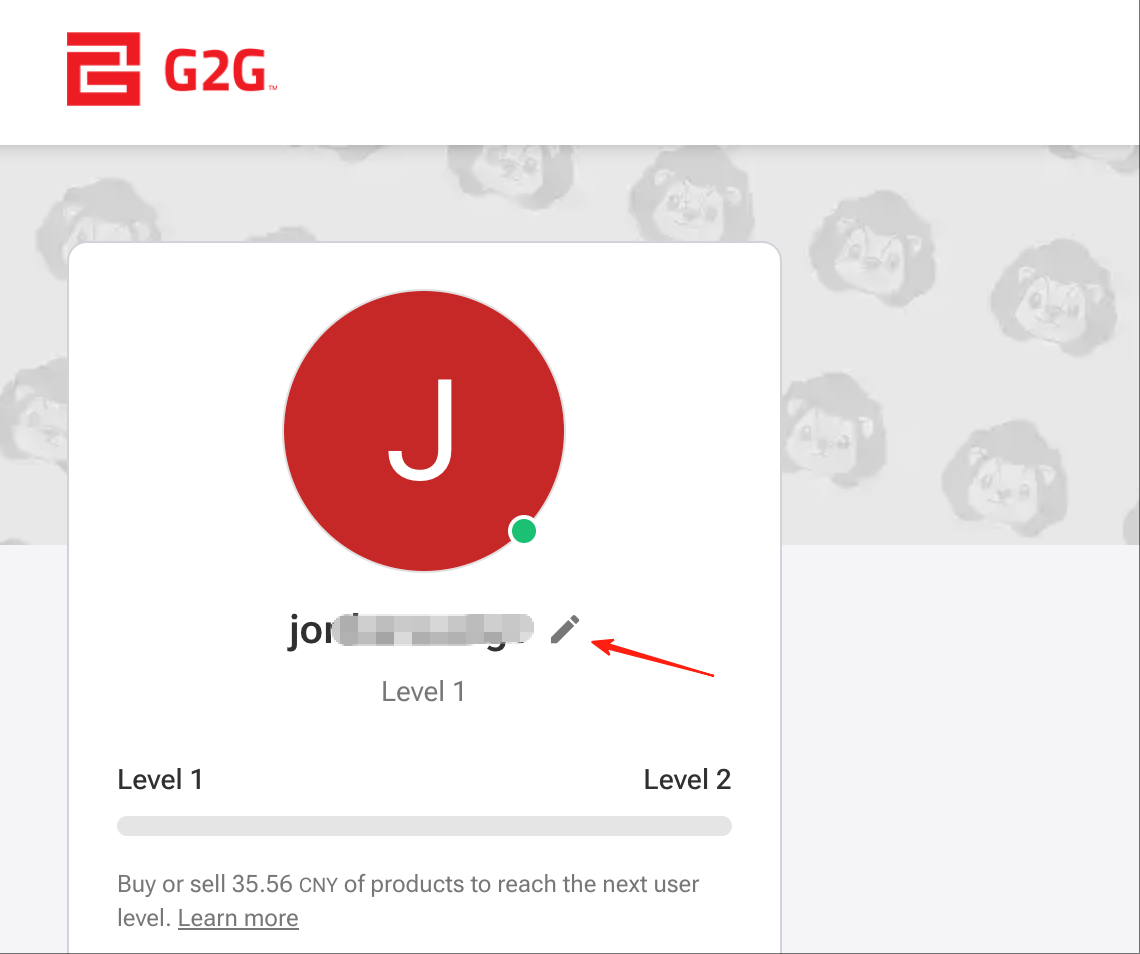
Click the pencil icon next to your profile name, and complete the identity verification process.
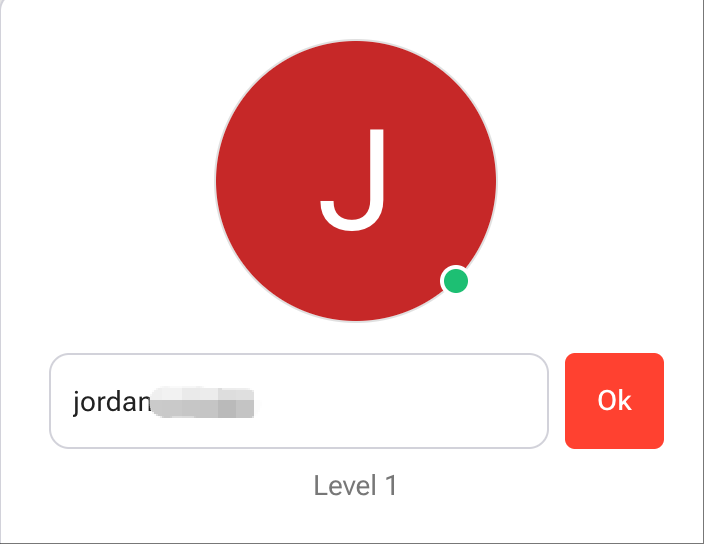
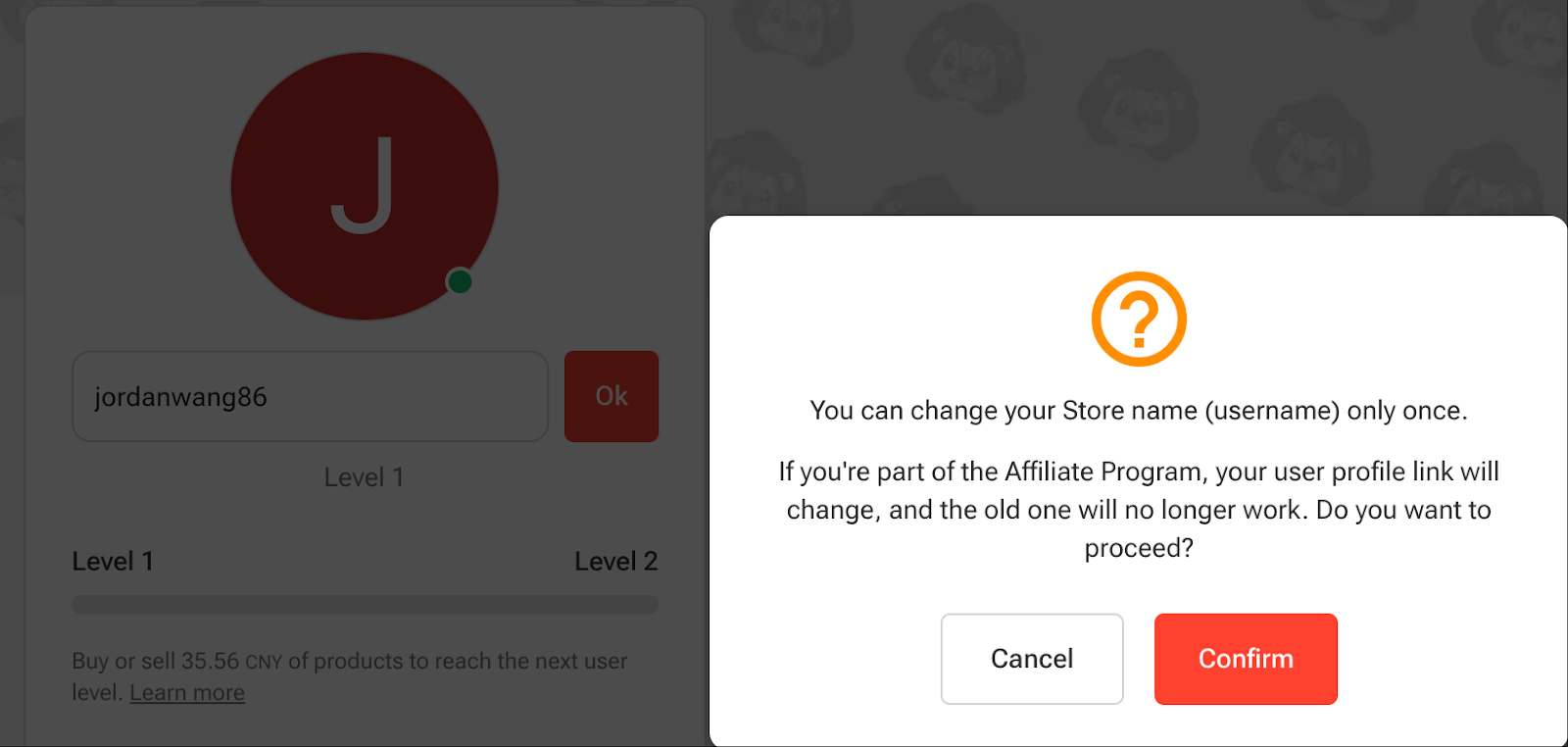
- Once verified, enter your new username in the box then click Confirm to save the changes.
Username Rules:
- Only letters, numbers, and underscores are allowed.
- Maximum 12 characters .
- Username cannot start with a number .
Important Notes:
- Username change is allowed only once .
- If MFA (Multi-Factor Authentication) is enabled on your account, you will need to enter your MFA code .
- If MFA is not enabled , you will be required to enter your account password .